APPGuide · No. 078
Side-loaded casino apps: how installs work and what to check
None of these apps are in Google Play or the App Store. What side-loading involves on Android, iPhone and PC, what goes wrong, and the checks worth doing before you tap install.
Every app on this site, from 918Kiss and Mega888 to NTC33 and Rollex11, is installed the same awkward way: from a file or link handed to you by an agent, not from Google Play or the App Store. The old version of this page was a long list of those files. It is gone, and it is not coming back.
This site does not host app files and does not link to them. What it can do is explain how side-loading works on each kind of device, what the warnings on your screen mean, and what to check so that the thing you install is the game and not something worse.
If you already play, ask your agent for the current link. If you don't, get a game ID and the install link from the provider we work with, then come back here before you tap install.
Why these apps are not in the stores
Google Play and the App Store only accept real-money gambling apps from operators that hold a licence in the country where the app is offered, and both stores check this. Malaysia does not license online casinos of this kind, and the platforms here do not publish who runs them. So they are distributed outside the stores.
That has two consequences. First, you have to switch off a safety setting (Android) or trust an unknown developer (iPhone) to install them. Second, nobody at Google or Apple has reviewed the file. The checks a store would normally do fall to you.
Android: allowing unknown apps
On Android the app comes as an APK file. Recent versions of Android ask for permission per app rather than through one global "Unknown sources" switch:
- Open the link in your browser and let the APK download.
- Tap the file. Android will say your browser is not allowed to install apps.
- Tap Settings in that prompt and turn on "Allow from this source" for the browser (the path is usually Settings, Apps, Special app access, Install unknown apps).
- Go back and tap Install.
- When it is done, turn the permission off again.
Google Play Protect may warn that the app is unknown or potentially harmful. Read the warning rather than dismissing it by reflex, and don't switch Play Protect off to make it go away. Some platforms used to ship two APKs, one for slots and one for live tables; install only what you actually use.
iPhone and iPad: the Trust prompt
iPhone builds are signed with an enterprise certificate, a kind of certificate Apple issues to companies for their internal apps. After installing, the first launch fails with "Untrusted Enterprise Developer". To allow it, go to Settings, General, VPN & Device Management (Device Management on older iOS), tap the developer name under Enterprise App, then Trust.
The name shown there is a company name, and it changes over time. It tells you nothing about who runs the platform or whether the app is safe. Trusting it means you accept an app nobody at Apple has reviewed.
When the app stops opening
Apple revokes enterprise certificates that are used to distribute apps to the public. When that happens the app will not launch any more, usually with a message that it is no longer available or cannot be verified. Nothing is wrong with your phone. Delete the app, ask your provider for a new link, and install again. Your credit sits against your game ID on the platform's server, so a reinstall should not touch it, but take a screenshot of your balance while the app still works.
Don't go looking for a working copy on random sites when this happens. A revoked week is exactly when fake builds do the rounds.
Old 32-bit and 64-bit builds
The old page offered separate "iOS 64" and "iOS 32" builds, with the 32-bit one for the iPhone 5 and older. Apple dropped 32-bit apps with iOS 11 in 2017, so any 32-bit link is a leftover. The device lists that came with the 64-bit builds (iPhone 5s to iPhone X) are just as dated. On Android, some newer phones run only 64-bit apps, so an old APK may refuse to install; the fix is a current build from your provider, not an older file.
PC and Mac builds
Several platforms had Windows installers (.exe), and Live22 had a Mac package. A few also ran a browser version. Windows SmartScreen will usually warn about an unrecognised app. If you install one, do it on a standard (not administrator) account, scan the file first, and uninstall it when you stop playing. Web versions avoid installing anything, but check the address with your provider rather than trusting a search result.
Safety checks before you install
- Get the link from your own provider. Not from a Facebook comment, a Telegram channel or a site that lists every app under one "download" button.
- Check the file size. Ask your provider roughly how big the file should be. A tiny file claiming to be a full game with dozens of slots is a red flag.
- Watch the permissions. A slot app has no reason to read your SMS, your contacts or your notifications, or to ask for accessibility access. Accessibility access in particular is a favourite trick of banking malware. Deny it and delete the app.
- Never type bank logins into a game app. The app needs a game username and password, nothing else. Top-ups and withdrawals ("cuci") go through the agent, never through a bank login screen inside the app.
- Keep your phone updated and don't root or jailbreak it to make an app work.
Notes per platform
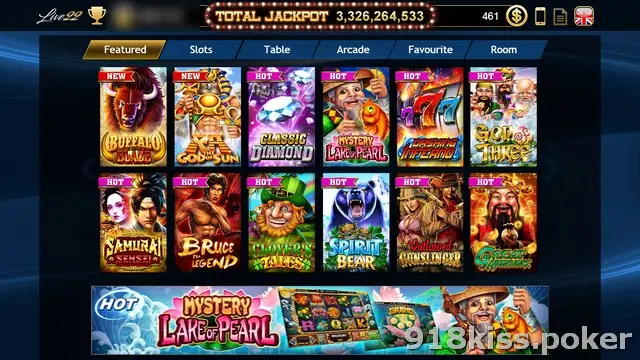
Each platform page covers the lobby and the account side; the notes below are only about installing.
918Kiss (SCR888)
Android APK and iPhone builds, the latter with the Trust step. The old 32-bit iPhone build is dead. Details on the 918Kiss install notes page and the 918Kiss platform page.
Mega888
Same pattern as 918Kiss: one APK, an iPhone build, and a 32-bit iOS leftover you can ignore. See the Mega888 page.
Joker123
Android and iPhone only; no PC build was listed. Its fish games are what most people install it for. See Joker123.
NTC33
Separate Android APKs for slots and for live games, plus a Windows build. See NTC33.
LPE88
The same split as NTC33: a slot APK, a live-games APK and a Windows installer. See LPE88.
Live22
The widest spread on the old list: Android, iPhone, Windows and a Mac package. See Live22.
Play8oy
Android, iPhone and Windows builds. See the Play8oy page.
3Win8
Android, iPhone and Windows builds. See 3Win8.
SKY777
Android and iPhone only. See SKY777.
ACE333
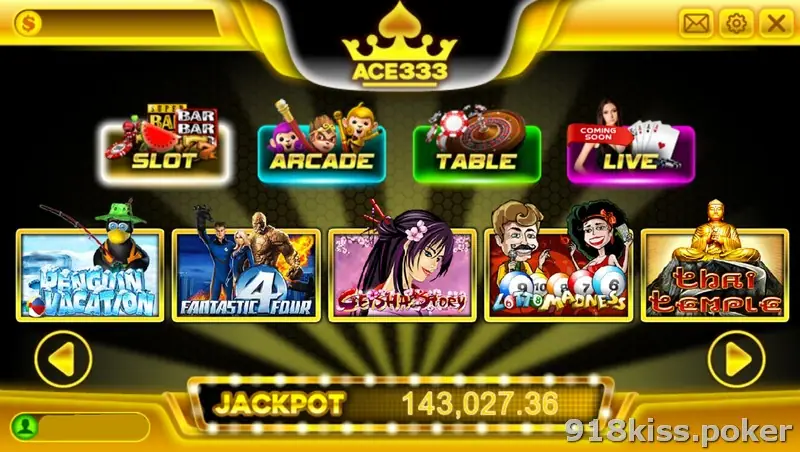
Android, iPhone and Windows. The lobby above is the landscape layout you will see after the first login. See ACE333.
Rollex11
A slot APK, a separate live-game APK and a Windows installer. See Rollex11.
Before you play at all
Installing is the easy part. Online gambling is restricted in Malaysia, these apps sit outside any local licence, and you have little recourse if something goes wrong. If you are 18 or over and still want to play, decide on a monthly limit first and read our responsible gaming notes. Common questions are answered on the FAQ page, and when you are ready, ask your provider for the current app link.
Collector's notes: questions readers ask
Can I download the apps from this page?
No. This site hosts no app files and links to none. Get the current link from the agent or provider who gives you your game ID.
Why did my app stop opening on iPhone?
Usually because Apple revoked the enterprise certificate it was signed with. Delete it and install a fresh build from your provider's current link; your balance is tied to your ID on the platform's server, not to the app.
Is it safe to install these apps?
Any side-loaded app carries more risk than a store app, because nobody has reviewed it. You reduce the risk by getting the link from your own provider, checking what the app asks for, and never typing bank details into it.
18+ only. Real-money games; online gambling is restricted in Malaysia. Never top up money you need, and stop if it stops being fun. Responsible gaming.